Pages

Showing posts with label Deposit. Show all posts

Friday, February 24, 2012

My Pokemon Ranch - Ranch Expanding and Phione


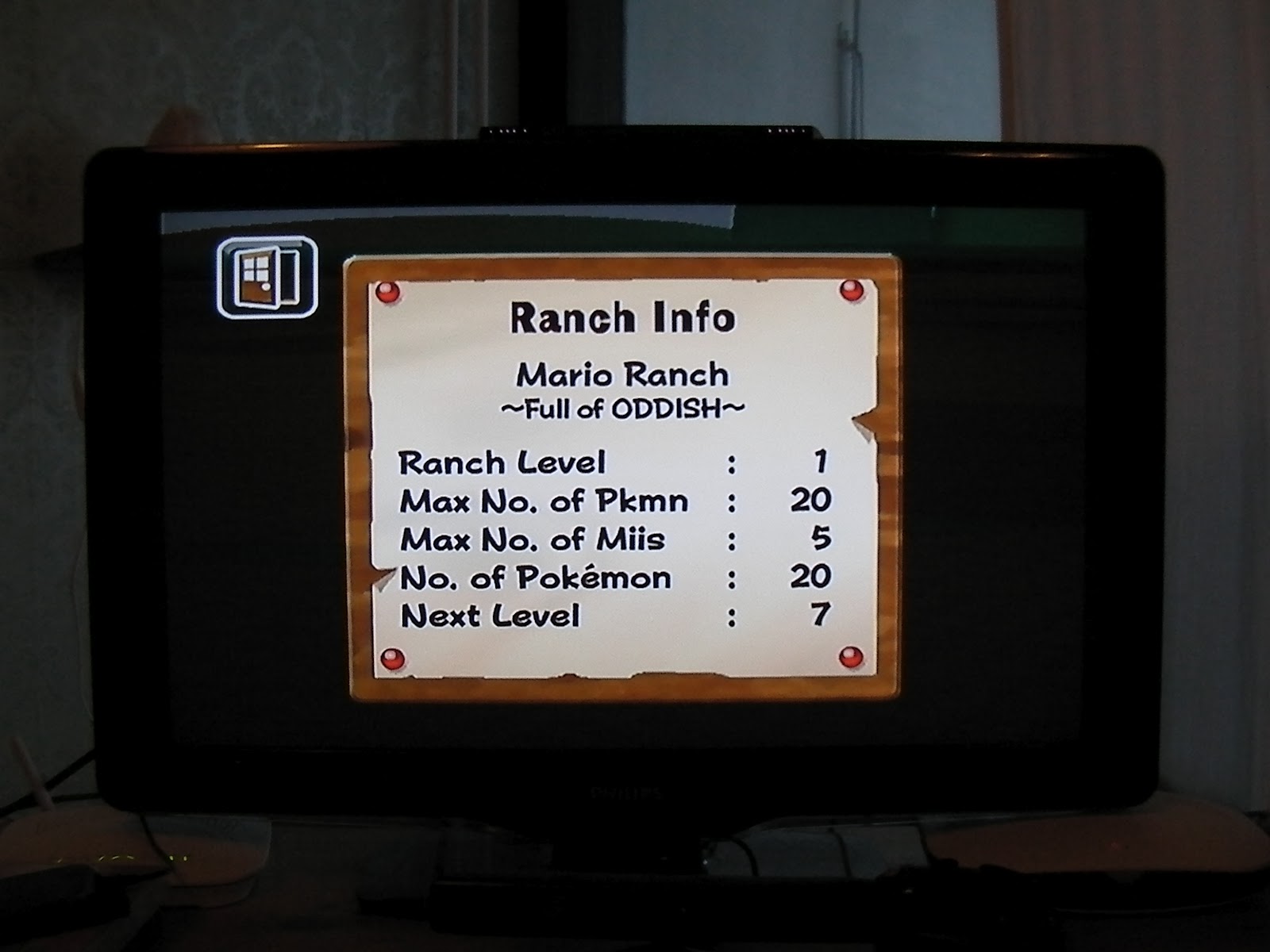
Hello again!  As promised, I am going to discuss how to expand your Ranch!  It is rather simple actually, all you have to do is Deposit a certain number of Pokemon into the Ranch, and you are all set!  Originally, I thought that you had to fulfill Wanted Requests that Haley gives you, but that is not the case.  Those Requests are for you to fill up your Pokedex.  Each time you meet a requirement for the Expansion, Haley will come to you and inform you about the coming Expansion, as well as ask what kind of Pokemon you would like her to bring, to celebrate the event.  All Expansions happen on the Next Day.

There is however, a special Wanted Request that Haley gives you.  When you have Deposited 250 Pokemon into the Ranch, she will come to you asking for a certain Pokemon.  For my wife, it was a Leafeon.  Why is this different from the rest you ask?  Well, because Haley would like to Trade it for her Phione, which happens to be a really rare and hard to get Pokemon.  I find this to be awesome since I have never seen a Phione before in the other games, since I cannot go to any Pokemon Events at game stores.

You can check your Ranch's info from the BBS, which is located underneath the Connect To DS Option on the main menu.  From there you can also check what Pokemon Haley is searching for, for her Wanted Requests.


Thursday, February 23, 2012

My Pokemon Ranch - Depositing and Withdrawing Pokemon


Okay, so now we are going to talk about one of the most important functions on My Pokemon Ranch.  This is known as Connect To DS.  You can see it on the main menu at the top left, right under Wii Menu.  When you select it a screen will come up informing you that if you delete your game on the DS and Start another one, you cannot receive the Pokemon you deposited from the game you had before.  The Pokemon can only be returned to the game that they were taken from.

After you start your Pokemon Diamond or Pearl game on your DS, you will come to a menu which has a few options.  Before you continue your journey, select Connect To Wii.  Afterwards this screen should come up showing that it is connecting to the DS.  

Once connected the Screen will show a little Blimp like object floating in the sky and a message letting you know that it connected.

After that, on your DS you can choose whether or not you wish to Deposit, or Withdraw Pokemon from the Ranch.  If you chose to Withdraw, a screen will come up showing all of the Pokemon inside the Ranch.

What you do with it is up to you.  Oh yeah, I almost forgot, at the beginning you can only have 20 Pokemon in the Ranch at a time.  It sucks, I know.  Fortunately, there is a way to increase this limit.  I will talk about that with you all next time,  see you around!